
Pirata Nervo
New Member
This new version has some new features.
New features:
- New menus
- BSOD fixer
- Autorun Space for everything when booting up.
- Backup flash1 function added.
- Functions improved.
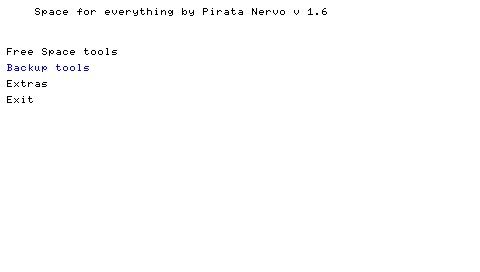
Screenshot of main menu:
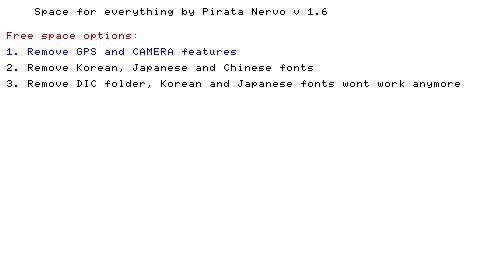
Screenshot of free space menu:
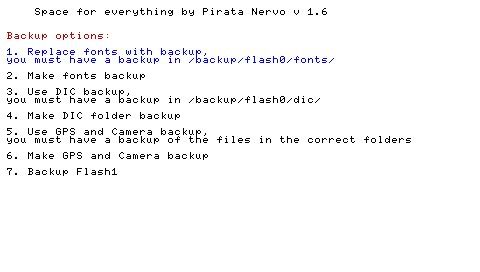
Screenshot of backups menu:
Screenshot of extras menu:

Screenshot of BSOD fixer menu:

Download from http://www.mediafire.com/?3yousyykjez
New features:
- New menus
- BSOD fixer
- Autorun Space for everything when booting up.
- Backup flash1 function added.
- Functions improved.
Screenshot of main menu:
Screenshot of free space menu:
Screenshot of backups menu:
Screenshot of extras menu:
Screenshot of BSOD fixer menu:
Download from http://www.mediafire.com/?3yousyykjez
Readme said:Space for everything by Pirata Nervo
---
IM NOT RESPONSABLE FOR ANYTHING THAT CAN HAPPEND TO YOUR PSP
---
The menu is easy to understand, use the Triangle to go back, example:
You are in the backups menu and you press Triangle, then you go to main menu.
Bsod Fixer menu:
- You have 2 options:
1. Fix bsod using backup - this option, doesnt format your flash1, just replace it with a backup and fix fonts that can be damaged.
If you dont have a backup of your flash1 and if you use that option, nothing will be replaced but it will say that was replaced.
It will create the folders but wont replace the files.
2. Fix bsod without using backup - this option, formats your flash1 and fix fonts that can be damaged
BOOT FOLDER - INSTRUCTIONS
If you want to use the autorun method, just place the boot folder in ms0:/PSP/GAME/ and then go to recovery mode and enable the autorun BOOT/EBOOT.PBP when booting.
Remember you must have the "Space for everything" folder in ms0:/PSP/GAME150/
This method is useful if you want to fix a bsod, so you just need to reboot, fix the bsod and then exit from Space for everything.
