

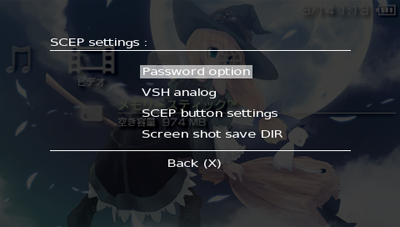
Poisonhzkj has released a new version of his multi-featured plugin for 3.40 OE. SCEP-XMB sports all kinds of nifty features, such as the ability to take screenshots from within the XMB, usbhostfs functionality, CPU speed and LCD brightness control, a voltage monitor, and new to this release: a PSP stopwatch.
Download SCEP-XMB 1.7 Preview 3
A preview of SCEP-XMB 1.7 [2Alien]
Here is a preview of SCEP-XMB 1.7, it is not a complete version. screenshot, usbhost, power control, delete/copy/mov files/dirs, brightness control, CPU speed control, OE config, hardware stopwatch works fine now...and the others funtions is coming...
ScreenShot control:
Dpad + L/R: get a area
Dpad : move the area
FileMgr control:
Select(Triangle)
Select All(Square)
change device(R)
change panel(LEFT/RIGHT)
Excute(Circle)
Operation menu(L)
stopWatch control:
Start/Pause (circle)
mark down (R)
reset(L)
tip: if your game load from usbhostfs give you a blank screen. try enabling the usbhostfs.prx as a game plugin above scxGame.
Download SCEP-XMB 1.7 Preview 3
A preview of SCEP-XMB 1.7 [2Alien]
